Best Android TV Box for IPTV UK: Complete Buying Guide
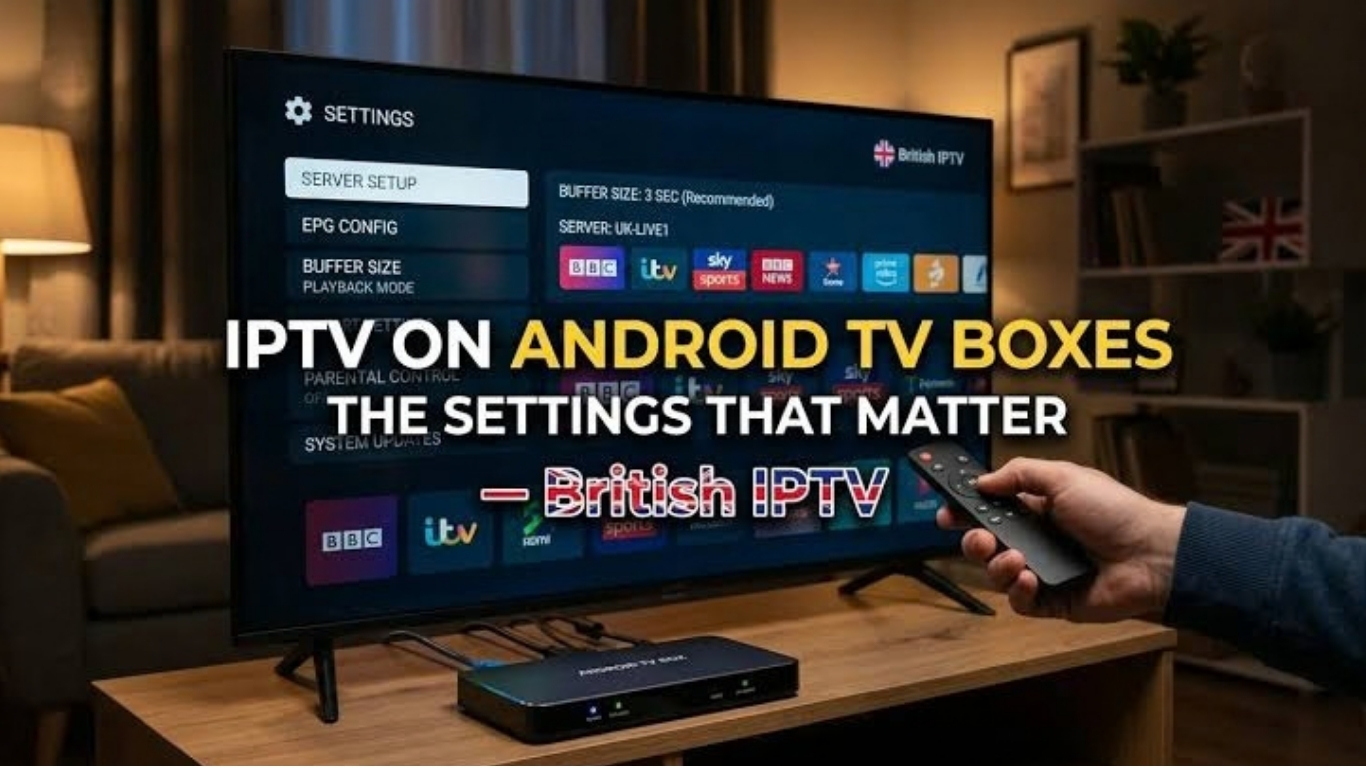
Introduction: Best Android TV Box for IPTV UK
Choosing the best Android TV box for IPTV UK can make a significant difference to your streaming experience. Whether you want to watch live television, enjoy on-demand entertainment, or organise your favourite channels in one place, the right device can deliver smoother playback, faster navigation, and better picture quality.
Android TV boxes are popular because they can connect a television to internet-based entertainment apps without requiring you to replace an older TV. Depending on the model, they may support 4K resolution, advanced audio formats, external storage, Bluetooth accessories, and wired or wireless internet connections.
However, not every Android TV box offers the same performance. Some inexpensive devices have limited memory, weak Wi-Fi performance, outdated software, or uncertain security updates. These limitations can cause slow menus, app crashes, and buffering that users sometimes mistake for an IPTV problem.
This guide explains what to look for when buying an Android TV box in the UK, compares the main device categories, and covers setup, internet requirements, compatibility, security, and troubleshooting.
What Is an Android TV Box?
An Android TV box is a compact device that connects to your television, usually through an HDMI port, and runs a television-oriented operating system or Android-based software.
It allows you to install compatible streaming applications, access supported media services, and play internet-delivered video. Some devices run the official Android TV or Google TV operating system, while others use a more general version of Android.
That distinction matters because an application designed for a television interface may not work properly on every Android-based box.
How Does an Android TV Box Work With IPTV?
An IPTV application can play live channels or on-demand video delivered over an internet connection, provided the content source is compatible and authorised.
A typical setup includes:
- An Android TV box connected to your television.
- A reliable internet connection through Wi-Fi or Ethernet.
- A compatible IPTV Player or media player application.
- A legitimate content source or playlist.
- A remote control for navigating menus and playback.
The box handles the application interface and video decoding. Your internet connection carries the stream, while the application determines how channels, playlists, and programme information are displayed.
The device cannot guarantee smooth streaming if the source is unreliable or the internet connection is unstable.
What Is the Best Android TV Box for IPTV UK?
There is no single best Android TV box for every UK household. The right choice depends on your budget, television resolution, preferred applications, internet setup, and whether you need extra storage or Ethernet connectivity.
For most people, a certified streaming device with reliable software support, adequate memory, strong wireless networking, and regular security updates is a sensible starting point.
When comparing devices, focus on these key factors:
- Operating system: Prefer a recognised, television-focused platform with broad app compatibility.
- Processor: Look for sufficient performance for smooth menus and video decoding.
- RAM: More memory can help when switching between demanding applications.
- Storage: Enough internal space is useful for applications and updates.
- Video support: Confirm compatibility with your TV’s resolution and the video formats you need.
- Connectivity: Dual-band Wi-Fi and, where useful, Ethernet can improve reliability.
- Updates: Ongoing firmware and security support are important for long-term use.
- Certification: Official platform certification can improve compatibility with protected streaming applications.
Best Android TV Box Categories for IPTV in the UK
Instead of choosing a device based only on price or marketing claims, compare the main categories against your needs.
1. Best Overall: Certified Android TV or Google TV Device
<AsyncImage query=" certified Google TV Android TV streaming box connected to television remote control living room" aspectRatio="16:9" width="100%" />
A certified Android TV or Google TV device is a strong all-round option for users who want straightforward installation, a familiar interface, and compatibility with applications designed for television screens.
Best for: Most households, everyday streaming, and users who prefer simple setup.
What to look for:
- Official Google TV or Android TV support.
- Access to the relevant official app store.
- Reliable software and security updates.
- 4K support if your television and content support it.
- A responsive remote and easy-to-use interface.
The main advantage is convenience. Certified devices are generally easier to configure and maintain than unfamiliar boxes running modified software.
2. Best Budget Option: Entry-Level Streaming Box
<AsyncImage query="compact affordable Android TV streaming box with HDMI cable and remote on a clean table" aspectRatio="16:9" width="100%" />
A budget Android TV box can be suitable if you mainly watch HD video, use a small number of applications, and do not need advanced audio or gaming features.
Best for: Secondary televisions, bedrooms, and users with basic streaming needs.
Before buying, check that the device is properly certified and supports the applications you plan to use. Extremely cheap boxes may advertise impressive specifications without providing dependable software support or real-world performance.
A slightly more expensive certified device can offer better value if it receives updates and works reliably for several years.
3. Best for 4K Streaming: High-Performance Streaming Box
<AsyncImage query=" premium 4K Google TV streaming box remote control modern home entertainment setup" aspectRatio="16:9" width="100%" />
If you own a 4K television, look for a device that explicitly supports 4K output and the relevant video formats.
Best for: 4K televisions, high-quality video playback, and households using several streaming applications.
Check whether the device supports HDR formats required by your television and content. Remember that 4K output does not automatically mean every stream will be available in 4K.
The source must supply 4K video, your internet connection must be fast enough, and the application must support the format.
4. Best for a Wired Connection: Box With Ethernet
<AsyncImage query="Android TV streaming box with Ethernet port connected to router by network cable" aspectRatio="16:9" width="100%" />
A box with a built-in Ethernet port can be a useful choice if your television is near your router or you can run a network cable to your entertainment area.
Best for: Users who experience Wi-Fi interference, inconsistent speeds, or buffering during busy periods.
Ethernet reduces dependence on wireless signal strength and interference. It does not fix every streaming problem, however. Slow source servers, overloaded networks, or device limitations can still affect playback.
If a box lacks an Ethernet port, a compatible adapter may be an option, but check device support before purchasing one.
5. Best for Advanced Users: Flexible Android-Based Device
<AsyncImage query="Android TV box with USB ports remote control and external storage drive home media setup" aspectRatio="16:9" width="100%" />
Some Android-based devices offer additional USB ports, expandable storage, broader file-format support, or more configuration options.
Best for: Users who understand application installation, storage management, and device settings.
The trade-off is that not every Android-based box is certified for television streaming. Some devices may lack official app-store access, dependable updates, or compatibility with applications that require protected video playback.
Before buying, verify the exact operating system, certification status, and application requirements.
Android TV Box Comparison Table
The following table compares device categories rather than making unsupported claims about individual models.
| Feature | Budget Box | Certified All-Rounder | Premium 4K Box |
| Typical use | Basic streaming | Everyday household use | High-quality home viewing |
| HD playback | Usually suitable if supported | Suitable | Suitable |
| 4K playback | Check exact specifications | Available on supported models | A key feature on compatible models |
| App compatibility | Varies significantly | Generally a strong point | Generally a strong point |
| Software updates | Check carefully | Important selection factor | Important selection factor |
| Ethernet | Model dependent | Model dependent | Model dependent |
| Best for | Lower-cost setups | Most users | 4K and advanced features |
Buying tip: Compare the exact model specifications rather than relying on category labels. A premium price does not automatically guarantee better app compatibility or longer software support.
How Much RAM and Storage Do You Need?
RAM and internal storage affect different aspects of performance.
RAM is temporary working memory used by the operating system and applications. Storage holds installed apps, cached data, and system files.
Recommended RAM
For basic streaming, a device with modest memory may be sufficient if its operating system is well optimised. More RAM can help with multitasking and demanding interfaces, but it does not directly increase internet speed or guarantee better picture quality.
For general buying purposes, compare real-world reviews and supported software rather than choosing solely by the advertised RAM figure.
Recommended Storage
Choose enough internal storage to install your streaming applications and allow room for software updates.
A device with very limited storage can become inconvenient when applications grow, or system updates require additional space. If you plan to install several applications or use local media files, consider a model with more storage or supported expansion options.
Why Processor Performance Matters
The processor helps run the interface, launch applications, decode video, and handle other system tasks.
A weak or poorly optimised device may take longer to open applications, respond slowly to remote-control commands, or struggle with certain video formats.
When comparing processors, do not rely exclusively on the number of cores or advertised clock speed. Video-decoding support, operating-system optimisation, thermal performance, and certification can all affect the experience.
For IPTV use, stable playback and responsive navigation are usually more important than gaming benchmarks.
Internet Speed Requirements for IPTV
Even the best Android TV box cannot compensate for an inadequate or unstable internet connection.
The actual bandwidth required depends on video resolution, compression, network congestion, and the streaming source. The following figures are practical starting points, not guarantees.
| Streaming quality | Suggested available speed |
| Standard definition (SD) | Around 3–5 Mbps |
| High definition (HD) | Around 5–10 Mbps |
| Full HD (1080p) | Around 10–15 Mbps |
| 4K UHD | Around 25 Mbps or more |
These figures refer to the connection available to the streaming device. If other people are gaming, downloading files, or watching video at the same time, you may need more total bandwidth.
Is Wi-Fi or Ethernet Better?
Ethernet is often preferable when you want a consistent connection and can connect the box directly to your router.
Wi-Fi is more convenient and can work well when the signal is strong. For better wireless performance:
- Connect to the 5 GHz band when the device and router support it, and the signal is strong.
- Avoid placing the box behind large metal objects or inside a closed cabinet.
- Keep the router away from sources of interference.
- Consider moving the router or using a suitable mesh system if coverage is weak.
- Test the connection near the television rather than relying only on the broadband package’s advertised speed.
How to Set Up an Android TV Box for IPTV
Setting up an Android TV box is generally straightforward. The exact menus vary depending on the manufacturer and operating system.
Step 1: Connect the Box to Your TV
Connect the device to an available HDMI port. If the box has a separate power adapter, connect it according to the manufacturer’s instructions.
Select the correct HDMI input on your television.
Step 2: Complete the Initial Setup
Follow the on-screen instructions to select your language, connect to the internet, pair the remote, and complete any required account setup.
Install available system updates before configuring your streaming applications.
Step 3: Install a Compatible Application
Use the official app store where possible. Search for the application you need and check that it supports your device and operating system.
If you use an IPTV UK player, remember that the player is separate from the content source. You must have an authorised source for any channels or programmes you access.
Step 4: Add Your Content Source
Follow the application’s official instructions to configure your authorised playlist, account, or supported streaming source.
Only enter credentials or playlist details from a source you trust. Avoid unknown downloads or configuration files from websites that make unrealistic claims.
Step 5: Test Playback
Try several streams or programmes that you are authorised to access. Check picture quality, audio synchronisation, menu responsiveness, and whether playback remains stable over time.
If problems occur, test the network and application separately before assuming the box itself is faulty.
Common IPTV Problems on Android TV Boxes
Buffering, freezing, and application crashes can have different causes. Identifying the cause helps you avoid replacing hardware unnecessarily.
Buffering During Playback
Possible causes include weak Wi-Fi, network congestion, insufficient available bandwidth, or an overloaded streaming source.
What to try:
- Restart the router and streaming box.
- Test the internet connection near the television.
- Try Ethernet if available.
- Pause downloads or other bandwidth-heavy activities.
- Check whether the problem affects one stream or several authorised sources.
If only one source has problems, the issue may be outside your home network.
IPTV App Crashing
An application may crash because of software bugs, limited storage, incompatible versions, or corrupted cached data.
Update the application and device software, restart the box, and check available storage. If necessary, clear the application’s cache using the device settings.
Before clearing application data or reinstalling, make sure you can restore any required settings and account details.
Remote Control Lag
Slow navigation may result from limited hardware resources, background applications, low batteries, or software problems.
Replace the remote batteries, restart the device, close unused applications, and check for updates. If the box remains slow, compare its real-world performance with reviews of the exact model.
Poor Picture Quality
Picture quality depends on the source resolution, connection stability, device capabilities, and television settings.
Check that the source actually provides HD or 4K content. Confirm the box’s display settings and ensure that your HDMI connection and television support the desired resolution.
A box capable of 4K output cannot turn a low-resolution stream into genuine 4K video.
Security and Legal Considerations When Using IPTV
When choosing the best Android TV box for IPTV UK, security and content authorisation deserve as much attention as hardware specifications.
Download Applications Safely
Prefer official app stores and verified developer websites. Unofficial application packages may contain unwanted software or request excessive permissions.
Keep the operating system and applications updated, and remove applications you no longer use.
Check Content Authorisation
IPTV is a delivery technology, not a guarantee that the content is lawful. Choose services that have the necessary rights to distribute their channels, films, programmes, or live sports.
An
UK IPTV Subscription pplication can be legitimate even though a particular stream accessed through it may not be authorised. Assess the content source separately.
Protect Your Personal Information
Use strong passwords, review subscription terms, and avoid entering payment information on websites you cannot verify. A VPN does not make unauthorised content legal and cannot guarantee that a streaming source is safe.
Android TV Box vs Fire TV Stick: Which Is Better?
The best choice depends on the features you need and the operating system you prefer.
| Feature | Android TV Box | Fire TV Stick |
| Form factor | Usually a small box | Compact HDMI stick |
| Portability | Easy to move, but often needs more space | Very portable |
| Ethernet | Available on some models | May require a compatible adapter |
| Expandability | Varies; some offer USB ports | Generally more limited |
| App compatibility | Depends on OS and certification | Depends on platform support |
| Best use | Users who want box-style connectivity or extra ports | Users who prefer a compact streaming device |
Neither category is automatically better for every IPTV setup. Check application compatibility, software updates, streaming formats, network connectivity, and the exact model before making a decision.
What to Check Before Buying an Android TV Box in the UK
Before spending money, use this checklist to compare the models you are considering.
- Operating system: Confirm whether it runs certified Android TV, Google TV, or another Android version.
- App support: Verify that the applications you need are available and compatible.
- Resolution: Check HD, Full HD, or 4K output and supported HDR formats.
- Memory: Choose enough RAM and storage for your intended use.
- Connectivity: Review Wi-Fi standards, Ethernet availability, Bluetooth, and USB ports.
- Updates: Check the manufacturer’s update policy and security support.
- Remote control: Look for responsive navigation and the controls you use most.
- Power and heat: Read reviews that assess stability during longer streaming sessions.
- Warranty: Review UK warranty terms, returns, and seller reliability.
- Certification: Confirm support for protected streaming applications if you plan to use them.
Avoid choosing a box solely because its product listing advertises a huge channel count or promises that every stream will work. Hardware specifications cannot guarantee content availability, source reliability, or legal authorisation.
Frequently Asked Questions
What is the best Android TV box for IPTV UK?
The best choice is usually a certified Android TV or Google TV device with reliable software support, adequate memory, good network connectivity, and compatibility with your preferred applications. The ideal model depends on your budget, television resolution, and connection setup.
Do I need a 4K Android TV box for IPTV?
No. A Full HD device can be sufficient if your television is 1080p and you do not need 4K output. Choose a 4K model if your television supports 4K, and you expect to watch compatible 4K content.
Is more RAM better for IPTV?
More RAM can improve multitasking and help applications run smoothly, but it does not automatically improve streaming quality. Processor performance, software optimisation, video decoding, and network stability also matter.
Can I use an Android TV box with an older television?
Yes, if your television has a compatible HDMI input. Check the box’s connection requirements and your TV’s supported resolutions before buying.
Does an Android TV box need Ethernet?
No. Wi-Fi can work well when the signal is strong and stable. Ethernet is worth considering if your router is nearby or you regularly experience wireless interference and buffering.
Why does IPTV buffer on my Android TV box?
Buffering can be caused by weak Wi-Fi, network congestion, limited bandwidth, an overloaded content source, or device performance problems. Test the connection, try another authorised source, and restart the device to help identify the cause.
Are cheap Android TV boxes worth buying?
Some affordable boxes offer good value, but extremely cheap or uncertified models may have limited updates, inconsistent app compatibility, or unreliable performance. Compare verified specifications, support, and independent reviews before buying.
Can an Android TV box play M3U playlists?
Some compatible applications can load M3U playlists. Compatibility depends on the operating system and application. The playlist itself does not establish whether the streams it contains are authorised.
Is IPTV legal in the UK?
Best IPTV UK technology is legal, but individual services must have the necessary rights to distribute the content they offer. Check content authorisation before accessing live channels, films, or sports broadcasts.
How long should an Android TV box last?
There is no fixed lifespan. Hardware quality, heat management, software support, and changing application requirements all affect useful life. Choosing a device with dependable updates can help it remain useful for longer.
Conclusion
Choosing the best Android TV box for IPTV UK means looking beyond the advertised price and specifications. A dependable operating system, broad application compatibility, sufficient memory, stable networking, and ongoing security updates are all important for a smooth streaming experience.
For most households, a certified Android TV or Google TV device is a sensible starting point. Budget models may suit basic HD viewing, while more capable devices can offer 4K output, additional connectivity, and improved performance for demanding applications.
Before buying, check the exact model’s certification, supported video formats, Wi-Fi and Ethernet options, storage, and update policy. Once your device is installed, use a reliable internet connection, download applications from trusted sources, and make sure the content you watch is authorised.
With the right combination of hardware, network performance, and compatible software, an Android TV box can provide a convenient way to enjoy internet-delivered television in the UK.
